DESKTOP LAB / EXPERIMENT 003Running in the lab

A desktop,
from the inside out.

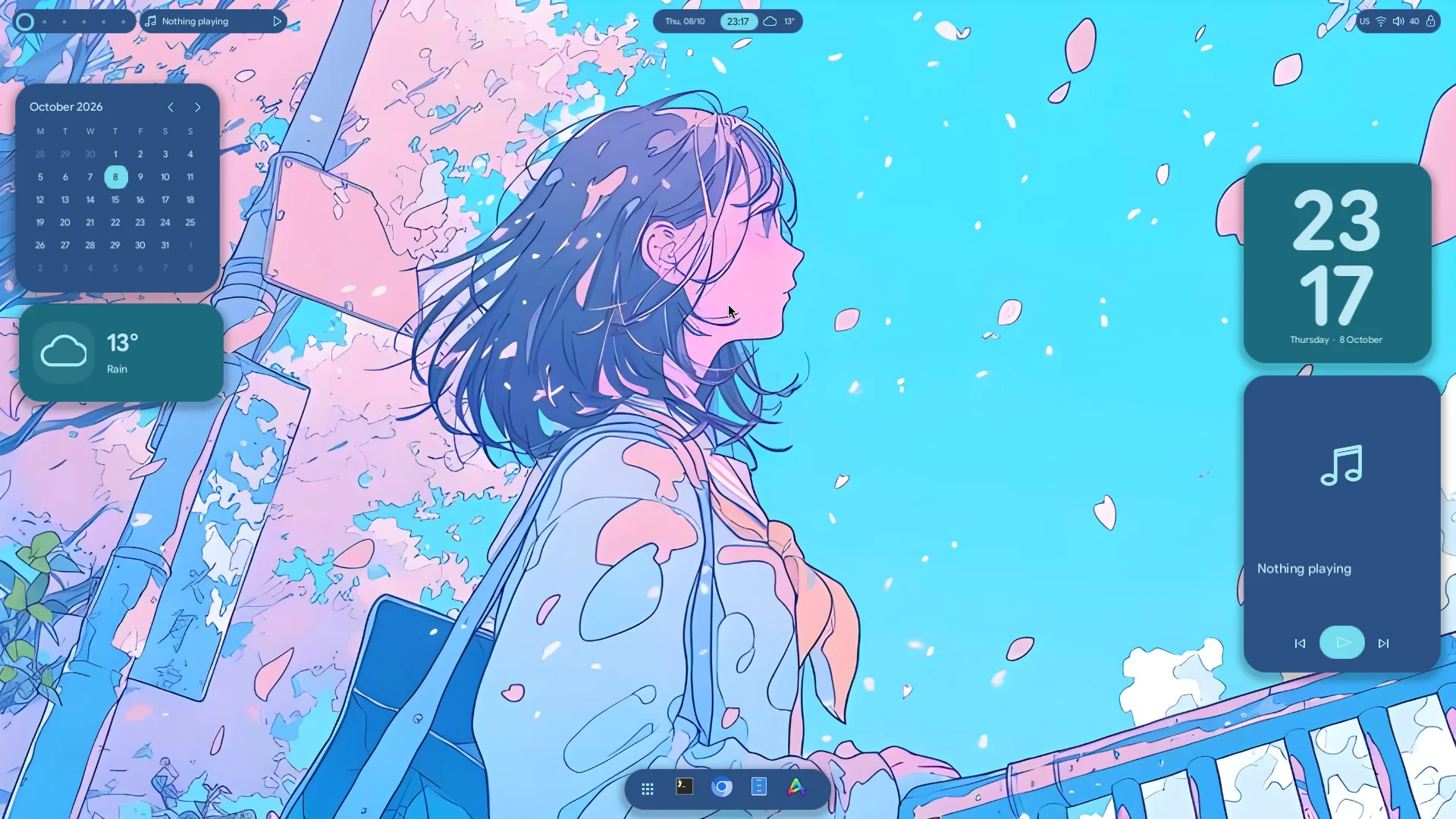
Meet Lucent. A native Rust framework and a desktop built on it. Inspired by Lucid. At home on Omarchy.

Explore the desktop Go beneath the surface ↗
RUST AT THE COREWAYLAND AT THE EDGESVULKAN FOR EVERY PIXELBUILT BY XAND REED
01 / THE EXPERIMENT

Three paths.
One familiar desktop.

Same Omarchy foundation. Separate virtual machines. Each experiment asks a different question about how much of the desktop we should build ourselves.

01THE REFERENCE
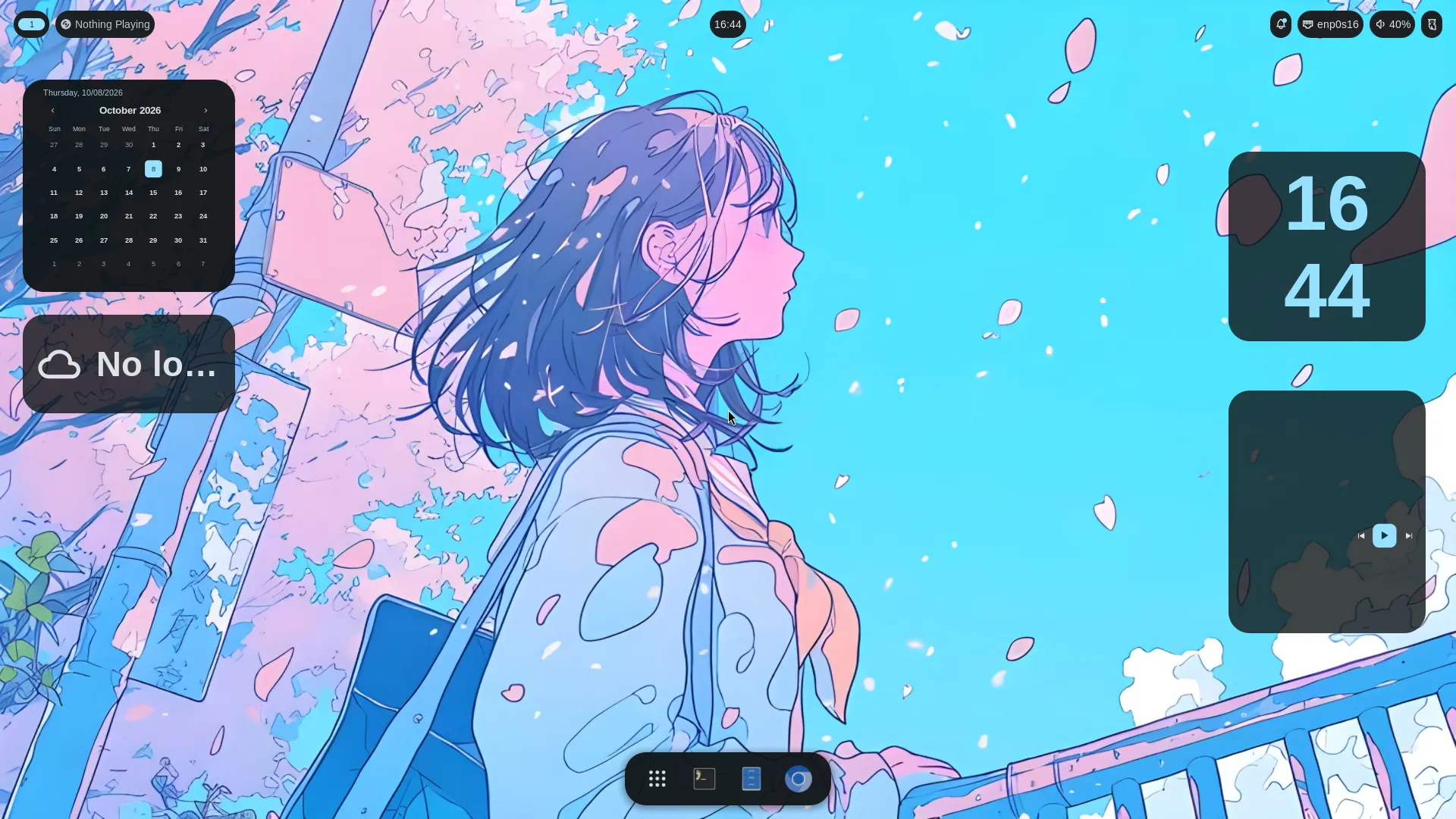
Lucid running in its isolated Omarchy VM

Lucid↗

Quickshell · Qt / QML

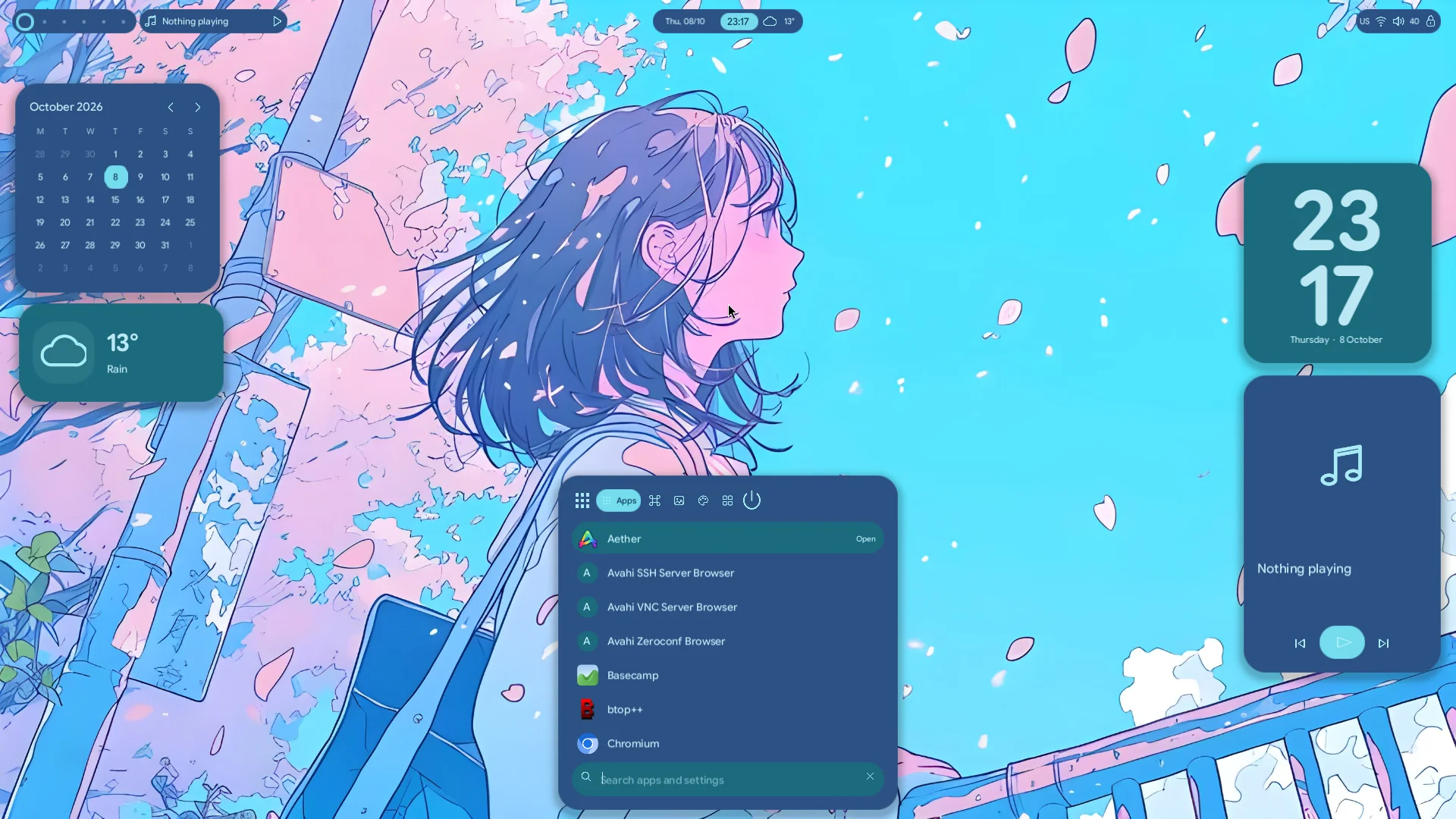
The original experience: floating capsules, Bookends widgets and the dock that becomes a launcher. Installed at a pinned revision, integrated into Omarchy.

Upstream shell. Our configuration and integration.
02THE COMPARISON
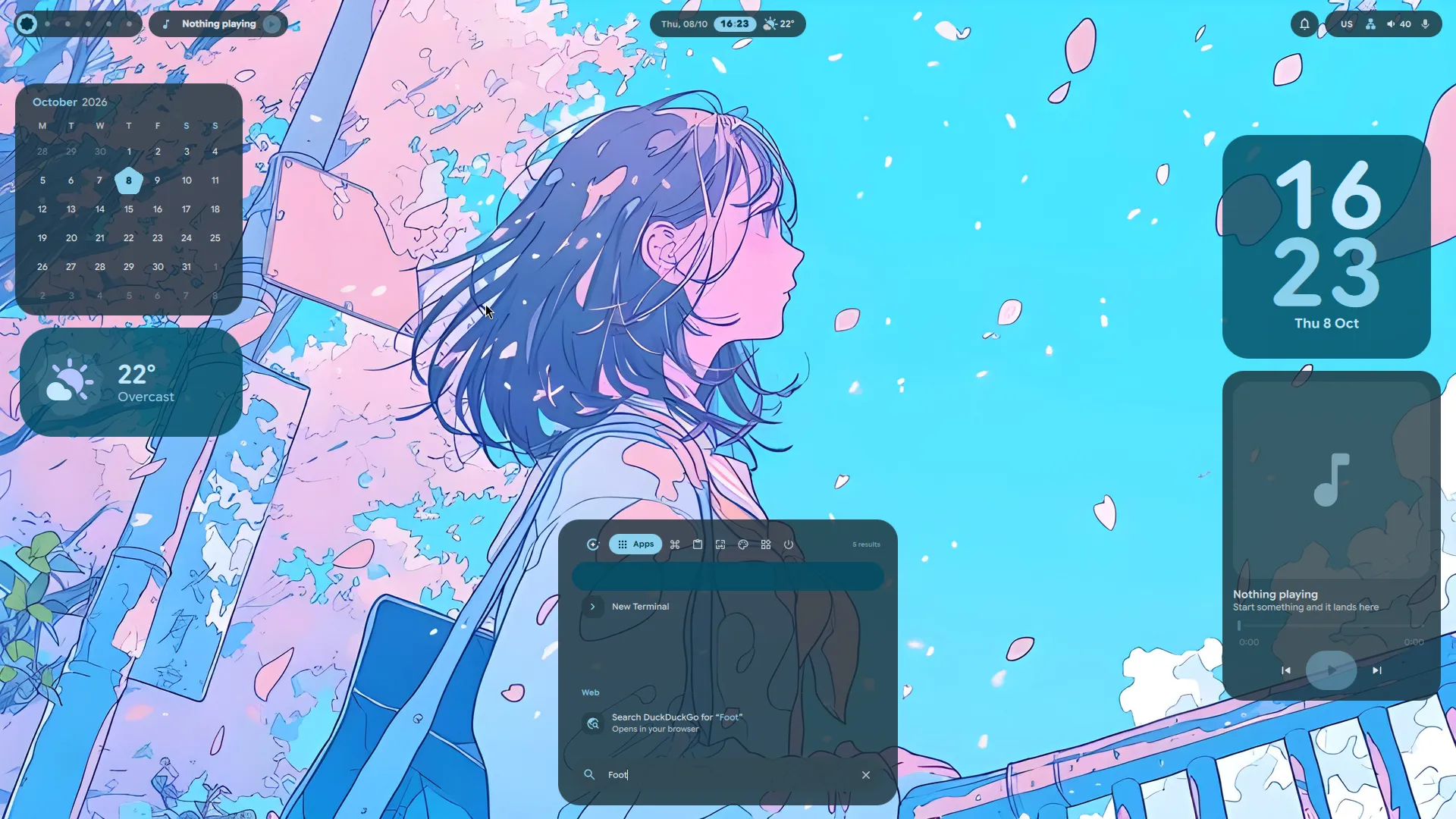
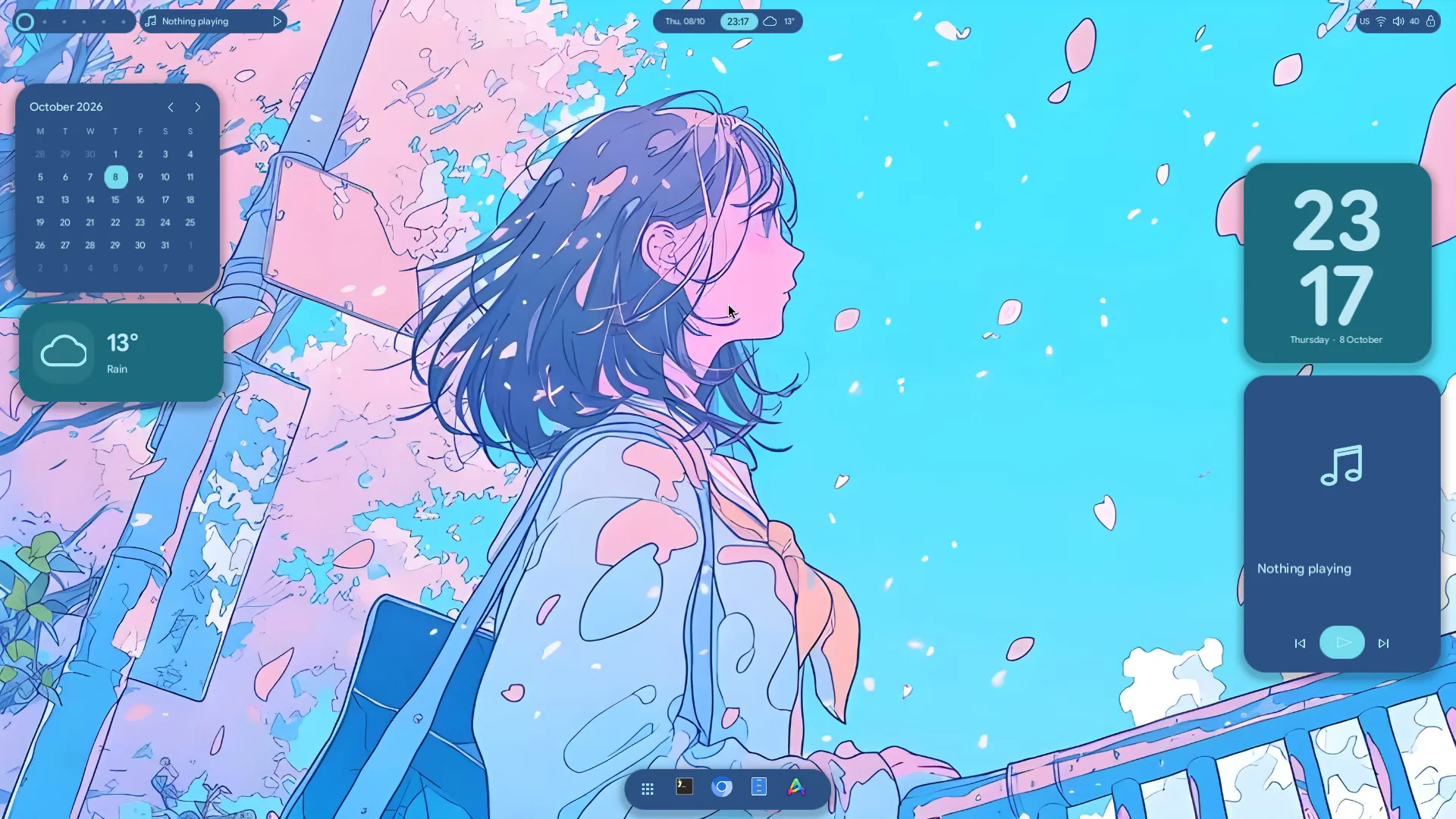
Noctalia running in its isolated Omarchy VM

Noctalia↗

Noctalia v5 · Native C++

A native shell configured toward the same visual language. Rounded islands, a centered dock and desktop widgets, using its supported TOML configuration.

Upstream shell. Our Lucid-inspired configuration.

Each VM has its own configuration and rollback path. The screenshots capture different test sessions; they are not a controlled performance comparison.

THE IMPORTANT BOUNDARY

New shell.
Familiar foundations.

Lucent renders the bar, dock, launcher, selectors, widgets, notifications and native lock/login clients. Hyprland still arranges your application windows. Omarchy still handles the session around them.

Who owns what? ↗
LucentBar · dock · launcher · widgets · notificationsOUR RUST CODE
HyprlandWindows · tiling · workspaces · inputCOMPOSITOR
Omarchy + ArchPAM · greetd · background · system servicesFOUNDATION
02 / UNDER THE SURFACE

A framework with
clear boundaries.

A shared engine with independent desktop, picker and session clients. The desktop is one expression of the framework; its colors, calendar and launcher stay in the client.

lucent-desktop

One client. A whole desktop.

The client owns the bar, dock, launcher, selectors, widget state and visual identity. An independent hello-layer counter uses the same framework without importing any desktop code.

Bar & dockLauncherSeven widgetsTheme & layout
User input → typed message → component update → new view
Read the implementation ↗
THE CLIENT CONTRACT

Describe the view.
Handle the message.

A component owns its state. view describes elements. update handles a typed message and requests effects. The runtime takes care of input, work and redraws.

Compose
Map a child’s messages into the parent. Delegate its effects without losing redraws or results.
Subscribe
Give a stream a stable identity. The runtime starts it once and cancels it when it leaves.
Extend
Register a widget by ID. Another desktop can use the same API with entirely different domain models.
Read the framework guide ↗
A complete Component implementation
use lucent_api::*;

#[derive(Clone)]
enum Message { Increment }
struct Counter(u32);

impl Component for Counter {
    type Message = Message;

    fn view(&self, _: &ViewContext) -> Element<Message> {
        Element::row(vec![
            Element::text(format!("Count: {}", self.0)),
            Element::button("Add", Message::Increment)
                .id("increment"),
        ]).gap(12.).padding(16.)
    }

    fn update(&mut self, _: Message, fx: &mut Effects<Message>) {
        self.0 += 1;
        fx.redraw("example");
    }
}
03 / THE FEEL OF IT

Motion with
a destination.

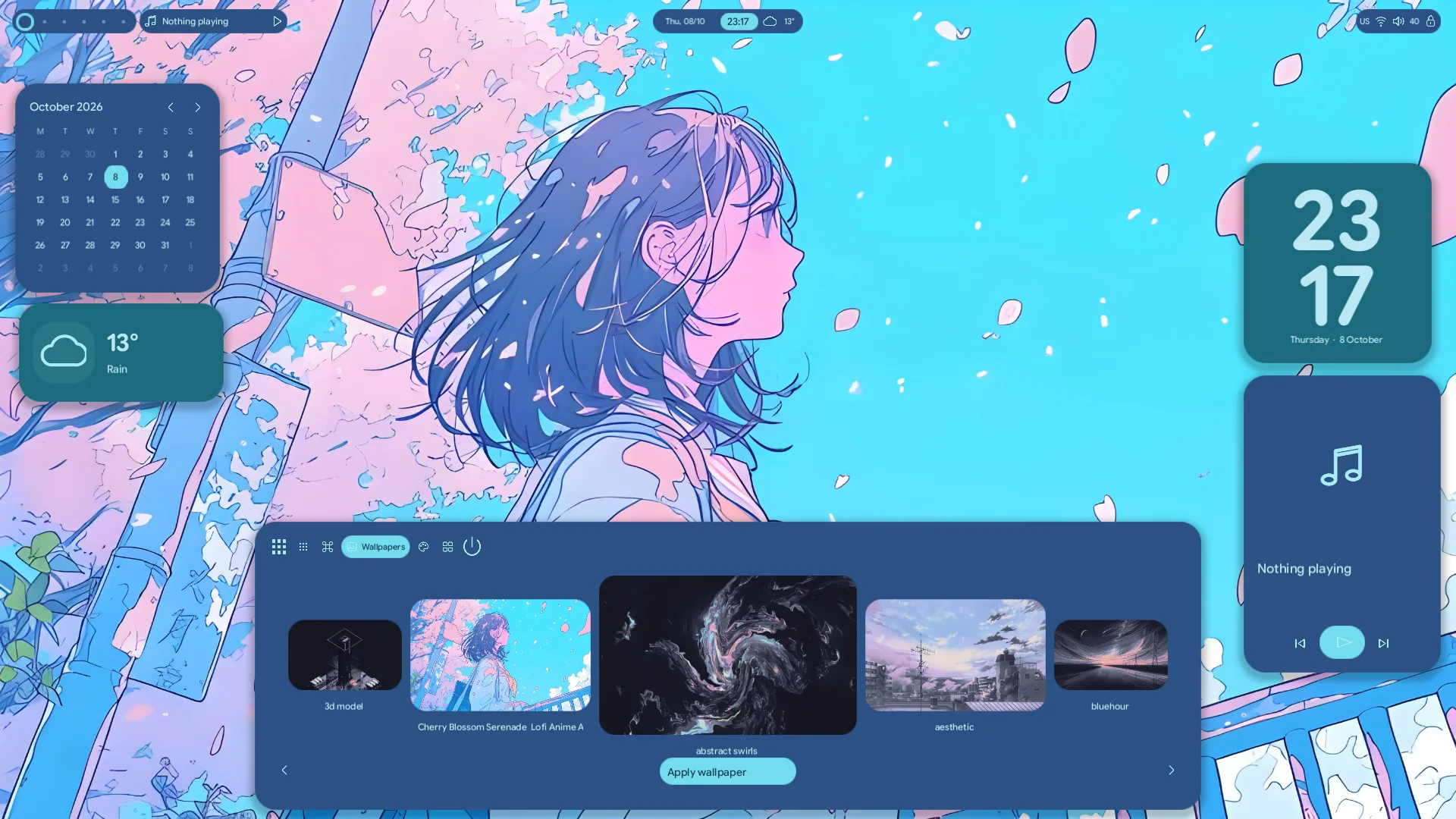
The dock expands into a launcher. The selector brings the next wallpaper forward. Interrupted transitions continue from their current position.

Lucent uses the spatial curve inspected in the pinned Lucid reference. Frames follow compositor callbacks, and stop when the transition ends.

500 msDock & selector
350 msApp selection
0Idle dock frames / 120 s
INTERACTIVE MOTION STUDYBrowser illustration
AppsWidgetsPalette
›_Terminal↵
◉Browser
cubic-bezier(0.38, 1, 0.22, 1)

Illustrates the curve and geometry in CSS. The desktop above renders natively through Vulkan.

04 / A PLACE FOR EVERYTHING

Layers for the shell.
Tiles for your apps.

A widget is a native Wayland surface region. It stays out of the tiling layout, so moving a clock never rearranges your terminal.

01

Top bar

Floating capsules reserve their top inset and token-defined height. Workspace pills switch real Hyprland workspaces.

Layer::Top
02

Widget host

Seven registered widgets. Drag backgrounds to move them; release to save. They sit below application windows.

Layer::Bottom
03

Dock & overlays

The launcher claims keyboard input while open. Escape or an outside click closes it. Transparent areas otherwise pass clicks through.

Top → Overlay
05 / FIELD NOTES

Measured.
With the context attached.

6 vCPUs · 5.77 GiB guest memory
1920 × 1080 · 60 Hz · scale 1
Software Vulkan, Mesa lavapipe.

0.54%

Idle process CPU

One logical core, over 600 seconds.

530MiB

Mean process memory

530.61 MiB peak RSS in the sample.

~60/s

Launcher transitions

16.47–16.69 ms median submission intervals.

The GPU matters. This VM uses CPU-backed Vulkan. Warm submission intervals are near the 60 Hz refresh interval. The first launcher opening had a 246 ms gap; warm samples reached a maximum of 19.56 ms. The closed dock and background submitted no frames during the ten-minute idle sample. The current normal-desktop RSS target is 300 MiB. These historical animation/idle samples predate the later memory reductions; the review tracks the newer release evidence. Hardware GPU performance is unmeasured; this six-vCPU run is not directly comparable to the historical two-vCPU result.

The full Lucent service, including helper commands, used 1.298% of one core at idle. The service CPU figure excludes separately launched applications, retained system services and the compositor. RSS includes driver mappings. The resource counters separately record texture payload, not total GPU allocation. Frame intervals are render submissions, not scanout.

EXECUTED & VERIFIED

Real input. Real outcomes.

  • Behavior, configuration, token and architecture regression tests
  • Native Vulkan visual comparisons at 1× and 2×
  • Keyboard search and a real terminal launch
  • Widget drag, save, restart and restored position
  • Wallpaper application and audio mute / unmute
  • Native lock authentication, crash recovery and greetd login
  • Independent hello-layer client and click-through
STILL AHEAD

The honest boundary.

Full Lucid parity is a destination. Tray hosting, launcher-integrated clipboard and emoji modes, a full control center and widget resizing are still ahead. Wallpaper search and color extraction already work. Notification history currently lasts for the process lifetime.

Desktop placement across multiple outputs, fractional scaling and full Unicode shaping remain unimplemented. The secure locker covers all outputs; virtual output hotplug was tested while locked. Physical Wi-Fi, Bluetooth, battery, brightness, suspend/resume and real media playback were not validated in this VM run.

THE DESIGN SYSTEM

A language for
every little detail.

Explore the colors, type, spacing and motion behind Lucent. Shared tokens connect the native desktop to a living reference you can build from.

Explore the system ↗ Read the docs ↗
PRIMITIVEpalette.cyan_300#73dcee
SEMANTICtheme.dark.primaryIntent, shared across components
COMPONENTtheme.button(…)The same language, made tangible
YOUR TURN

Open the lab.
Make it your desktop.

Start with one isolated VM. Try the launcher, move a widget, explore the framework, and switch back whenever you need.

Open the testing guide
ON THE PREPARED LAB HOST
Start the Lucent VM
python3 vm/launch.py lucent
Super+SpaceAnd you’re in.

Already have Omarchy? The guide also covers building, installing, and rolling back.